
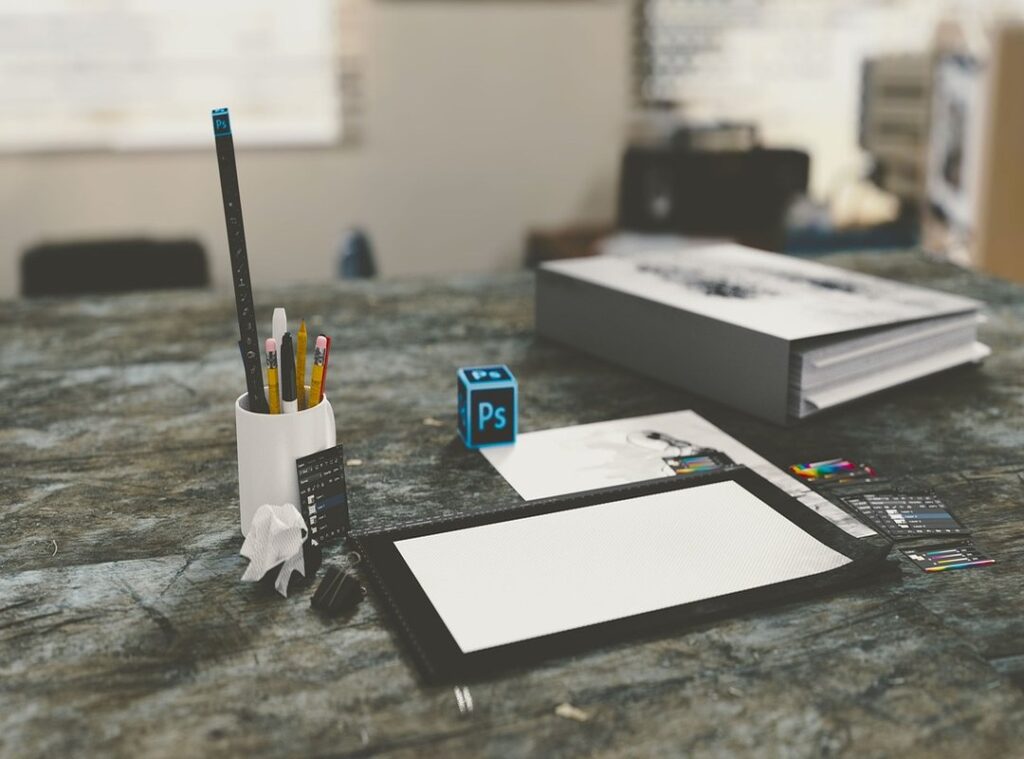
Graphic design is everywhere. It shapes our online experiences and drives marketing efforts. But with countless graphic design software options out there, how do you pick the right one?
Honestly, it can feel overwhelming. You might waste time and money on tools that don’t meet your needs. I’ve been there, and it’s frustrating.
This article cuts through the noise. I’ll help you get through the maze of software options to find what works best for you.
You’ll get a clear understanding of what each tool offers and how it fits into your workflow.
Trust me. I’ve studied this field and analyzed various software solutions. You’ll get takeaways that matter.
By the end, you’ll feel confident in your choice of design software. Let’s dive in and simplify this process together. You deserve the best tools to raise your design game.
Tools of the Trade: Graphic Design Software
Graphic design software is your digital canvas, the tool that transforms ideas into visuals. It’s important for creating everything from logos to elaborate digital art. But what should you look for in software?
User interface and compatibility are key. If a program frustrates you with its layout or doesn’t play nice with your operating system, it’s not worth your time. Trust me, I’ve been there (yelling) at my screen because a file wouldn’t open.
Then there’s support. You want a community or customer service that actually helps when you hit a wall.
Types of graphic design software? You’ve got vector-based tools like Adobe Illustrator, perfect for scaling images without losing quality. Then there are raster-based platforms like Photoshop, ideal for photo manipulation and detailed artwork.
It’s like choosing between a paintbrush and a chisel. Each has its place.
Wondering about how this ties into coding or tech development? Check out how the best code editors developers get through their own digital worlds.
Pro tip: Always try a demo version if available. It saves you from investing in something that doesn’t fit your workflow. Graphic design software is an investment in your creativity.
Choose wisely.
Graphic Design Software: Unleashing Creativity
Choosing the right graphic design software can feel overwhelming. Adobe Photoshop, Illustrator, and CorelDRAW are the heavy hitters in the game, each with its own strengths and quirks.
Photoshop is the go-to for image editing. It’s packed with features and quite intuitive once you get the hang of it. But let’s be real, the cost can sting a bit, especially if you’re just starting out.
Still, it’s a staple in the industry for a reason. A designer friend of mine swears by its versatility. “It’s like having a digital canvas,” she says.
Now, Illustrator is where vector graphics shine. It’s perfect for logos and illustrations. The learning curve?
Yeah, it’s steep, but worth it. You get crisp, flexible graphics that never lose quality. Pro tip: if you’re into precise designs, Illustrator is your best friend.
And while it’s not cheap, the investment pays off in quality.
CorelDRAW offers a more affordable alternative. It’s user-friendly and great for beginners. You get a lot of bang for your buck without sacrificing too many features.
One downside? It’s not as widely used in professional circles, which might be a consideration if you’re planning to freelance or work in a design firm.
So, what should you choose? It depends on your needs and budget. Photoshop and Illustrator are industry standards, but if you’re looking for something less pricey, CorelDRAW is solid.
Ultimately, the best software is the one that fits your style and workflow. Happy designing!
Choosing the Right Design Software: A Personal Journey
Finding the perfect graphic design software isn’t a one-size-fits-all situation. It’s a trial and error game (trust me, I’ve been there). You start by nailing down what you actually need it for.
Is it branding, web design, or maybe illustration? Your project’s nature dictates the software’s fit. If budget constraints are your reality, welcome to the club.
You don’t have to break the bank to get decent software. There are affordable options that won’t compromise quality.
You also have to think about technical support. Do you want to spend hours on forums, or do you prefer direct assistance? I learned the hard way that solid support makes all the difference.
Pro tip: Experiment with trial versions side by side to see which one feels intuitive. It’s worth the effort. And if you’re also into Project Management Apps Remote Teams, make sure the software plays well with them.
Before you commit, try a demo. It’s like dating before marriage. Most companies offer trials to help you decide.
It can make your workflow smoother. The right tool can really raise your projects, but only if it fits your needs. Choose wisely.
Unlocking Creativity: Tips for Your Design Software
You want to get the most out of your graphic design software, right? First, continuous learning is key. I’ve found that staying updated with new features can make a world of difference.

You don’t want to be left behind while everyone else is using the latest tools.
Pro tip: Online tutorials are a goldmine. YouTube and forums have saved me countless times. They’re packed with takeaways from people who know what they’re doing (and sometimes those who don’t, but that’s another story).
Seriously, spend a little time each week exploring these resources.
Now, let’s talk creativity. The more you experiment, the more you learn. Push the boundaries of your software.
Try things that seem outlandish. You might surprise yourself with what you create. The community is your friend here.
Engaging with user communities can spark new ideas and techniques you hadn’t considered.
In the end, it’s about maximizing your efficiency and creativity. You want to make your design software work for you, not the other way around. So keep learning, keep experimenting, and keep connecting with others.
That’s how you truly open up your potential.
Design Software: FAQ and Pro Tips
You know, choosing the right graphic design software can be a real pain. So many options, each with its quirks and demands. First off, let’s talk system requirements.
Always check what your machine can handle before buying. Some software demands a powerhouse of a computer (Adobe, anyone?), while others are more forgiving.
Now, about subscription models. It’s a trap. I hate them, but they’re everywhere.
Adobe’s notorious for this, but sometimes you get lucky with a one-time purchase option. Have you ever wondered if these constant updates are worth it? They usually are.
Updates fix bugs and add features, making your work smoother.
Here’s a pro tip: keep backups of your older software versions. Sometimes updates break more than they fix. In the end, the right software depends on your needs.
Experiment, find what’s best for you, and don’t settle for less.
Open up Your Creative Potential Today
Your search for the right graphic design software is now clearer. I’ve laid out what to consider when choosing a tool that fits your style and needs. You don’t have to struggle with design anymore.
Take action now. Start a free trial to test the software you’re considering. Join a community of designers to learn from others and boost your skills.
This is your moment to raise your design game. Don’t wait. Dive in and make your creative journey rewarding.
You have what it takes. Let’s get started.
 Orynthara Gleam is the visionary founder and driving force behind Jexphacks.com, a platform born out of a profound passion for technology and digital innovation. With a keen eye for emerging trends and a dedication to demystifying complex concepts, Orynthara established the site as an accessible, forward-thinking resource for tech enthusiasts and curious minds alike. Guided by a mission to inspire and educate, they continue to curate insightful content that empowers readers to navigate, understand, and master the ever-evolving digital landscape.