
Managing tasks, time, and information is a struggle for many. Does this sound familiar? You feel overwhelmed and disorganized, even as you pour hours into your work.
I get it. You want to meet deadlines and stay on top of your to-do list, but something always seems to slip through the cracks.
This article tackles that issue head-on. I’ll guide you through important productivity apps must-have that actually make a difference. I’ve spent years evaluating technology and how it can boost real-world efficiency.
You deserve tools that truly boost your daily productivity and organization. That’s what I’m here to offer. Expect practical, actionable takeaways that you can set up right away.
Let’s cut through the clutter and find out how to simplify your workflow. You’ll walk away with strategies that work in the real world, making your life a whole lot easier. Ready to dive in?
Beyond Apps: The Core of Digital Productivity
Let’s talk about digital productivity. It’s not just about which apps you download. It’s a strategic approach to work and life, enabled by technology.
What do I mean? I mean it’s about four key pillars: time management, task prioritization, information organization, and managing distractions.
Time management is tricky. We all ask, “Where did the day go?” Prioritizing tasks can feel like deciding which limb to keep. (Okay, maybe not that dramatic, but you get it.) Then there’s information organization. “Did I save that file under ‘work’ or ‘misc’?” We’ve all been there. Distractions?
They’re constant, like pop-ups on your screen.
Understanding these pillars helps you choose productivity apps that are actually useful. Tools are only as effective as the plan behind them. Random downloads won’t cut it.
It’s about personalizing your digital environment. Need a place to start? This guide can help.
Apps can be your allies, but without plan, they’re just clutter. Make them work for you. What’s your must-have?
A productivity app without purpose is just a blinking icon. Choose wisely. From solving “which task first?” to “where’s that saved?”.
It’s all about aligning tools with these pillars.
Master Your To-Do List: Tools for Success
Task management isn’t just about getting things done. It’s about not dropping the ball. Who wants to miss deadlines and face chaos?
No one. That’s why a solid system is important.
I’ve seen people thrive with a simple checklist. Others? They need the big guns like Trello or Asana.
These are your go-tos for visual project management. You know, the boards and workflows that keep teams on track. And then there’s Monday.com.
It’s like a chameleon, adapting to any project type you throw at it.
But let’s get practical. How do you actually use these productivity apps must-have? Start with prioritizing.
Ever tried the Eisenhower Matrix? It’s an eye-opener. Or Kanban boards?
They’re lifesavers when tracking progress.
Don’t just download these tools and forget them. Engage with them. Set habits with Todoist.
It’s perfect for personal task tracking and habit building. You’ll wonder how you ever managed without it.
Remember, tools are just tools. They don’t work unless you do. But with the right approach, they can transform your workflow.
So pick your weapon. Dive in. And start managing your tasks like a pro.
Capturing Ideas: Note-Taking Essentials
Drowning in information? I get it. We all do.
In this chaotic digital age, finding a way to capture and organize ideas is a game-changer. You need a system. Not just any system, but one that cuts through the noise and keeps your brain clutter-free.
Enter the productivity apps must-have: Evernote, Notion, and OneNote. These aren’t just apps. They’re lifelines.
Evernote lets you clip web content, scan documents, and search notes with ease. Notion is your flexible friend, blending notes, databases, and project planning into one smooth workspace. And OneNote?
It’s like having a freeform digital notebook that syncs with your Microsoft space.
But how do you actually use these tools? Tags and notebooks are your best friends. Create a tagging system for easy retrieval.
Use notebooks to group similar ideas. Linking between notes can help connect thoughts (you didn’t know needed connecting). And templates?
They speed up everything.
Pro tip: Don’t overcomplicate it. Keep it simple. The goal is to reduce mental clutter, not add to it.
So, pick an app, stick with it, and watch your productivity soar. Who knew organizing could be this freeing?
Smooth Connections: Optimizing Communication and Meetings
Let’s get real. Inefficient communication is a productivity killer. You know it, I know it.

Meetings? They can suck the life out of a workday if not managed well. But here’s where productivity apps must-have come into play.
They’re game-changers, trust me.
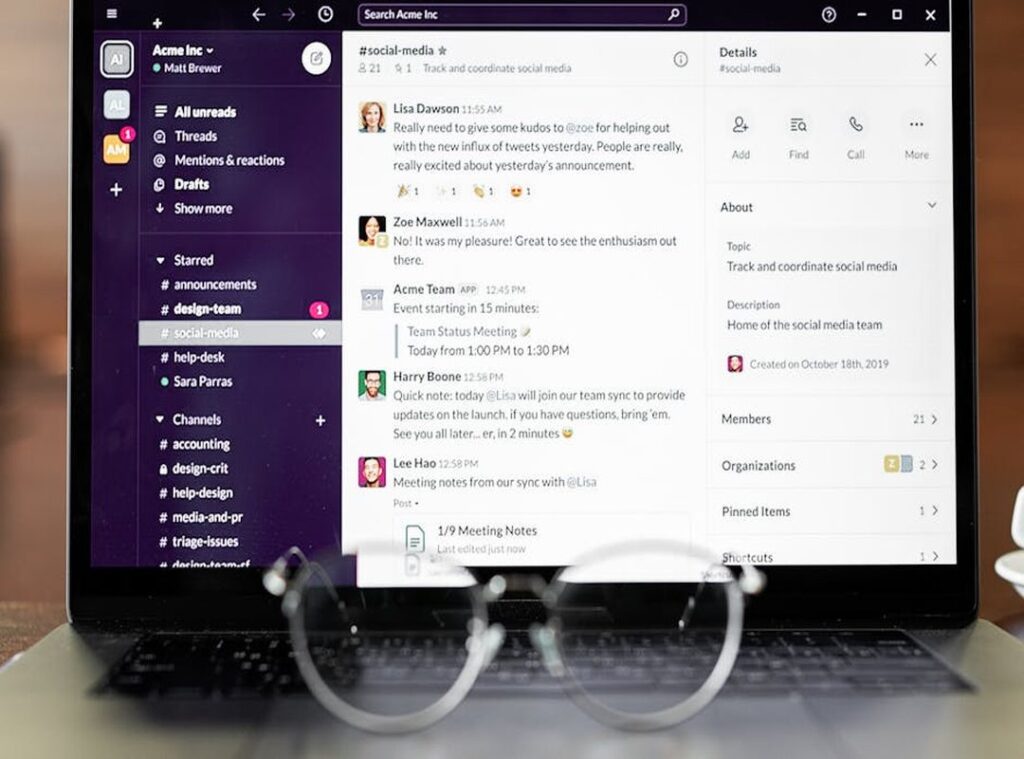
Take Slack or Microsoft Teams. These aren’t just chat apps; they’re lifelines for instant team messaging and file sharing. Think about Zoom and Google Meet for a moment.
They’re not just for video calls. They’re for virtual meetings that won’t make you want to bang your head against the wall. Automated scheduling tools like Calendly?
A godsend for cutting out endless email threads.
Pro tip: Start using these tools to replace those awful email chains. You’ll thank me later. But don’t just listen to me.
I stumbled across i tested 50+ productivity tools for and found out what really works in the real world.
Want to reduce email dependency? Use channels for specific projects and meetings. It saves time and keeps everyone on the same page.
Good communication tools simplify interactions. Poor ones waste time. Make the smart choice.
Guarding Your Time: Focus and Time Management Utilities
We all know the feeling. You’re knee-deep in a task, but your phone dings. Suddenly, you’re down a rabbit hole of distractions.
That’s why productivity apps must-have are important.
I’ve tried many, and the right tools make a difference. Apps like Forest and Focus@Will turn focus into a game. You plant a tree by staying on task.
It’s surprisingly effective (and kind of fun).
Then there’s Freedom and Cold Turkey. If you’re like me, blocking distracting sites is a lifesaver. You can’t scroll through social media if you never see it.
RescueTime and Toggl Track are eye-openers. They track time spent on tasks. You’ll see where your hours vanish. It’s like a mirror for your productivity habits.
Let’s talk techniques. The Pomodoro Technique is a classic. Work for 25 minutes, then break.
Time blocking and distraction audits are worth trying too. They pair well with the tools above.
Want some real-world advice? Check out smart kitchen gadgets chefs. It’s a different topic, but efficiency matters everywhere.
In the end, you need to guard your time fiercely. Choose the right apps and techniques. Your focus will thank you.
Your Path to Productivity Starts Here
You’ve got the basics down. You understand the productivity apps must-have for tackling the chaos of daily life. The struggle for efficiency is real.
Those tools can help you regain control. But remember, the best app is the one that fits your needs.
Try out one or two tools from different categories. Start small and watch your productivity soar. Adapt and learn as you go.
Your toolkit should evolve with you. Don’t wait. Dive in and start experimenting today.
Efficiency is just a click away. What are you waiting for? Your productive future starts now.
 Sylrith Marrowlance serves as a key creative and technical voice at Jexphacks.com, dedicated to uncovering the practical side of new tech and digital trends. With a talent for identifying the tools and shifts that matter most to tech enthusiasts, Sylrith crafts content that bridges the gap between raw innovation and everyday application. Their sharp perspective and passion for discovery help maintain the platform's reputation as a go-to resource for curious minds.